Canva vs CapCut in Europe: $5.99 a Year or $5.99 a Month?
14 Nov 2026

Quick takeaway ⚡
Canva vs CapCut in Europe is not a fight between two copies of the same tool, because they do different jobs — and that is the first thing to get straight. Canva designs still things: posters, thumbnails, Instagram posts, CVs, presentations, logos. CapCut edits moving things: TikToks, Reels, Shorts, vlogs, wedding clips. On this store the price gap looks wild at first: Canva Education costs $5.99 for a whole year, while CapCut Pro costs $5.99 every single month for the Shared plan — so over a year, CapCut Shared costs $64.99 and Canva costs $5.99. But you cannot call one of them overpriced on that maths alone, because a year of video editing and a year of poster design are not the same purchase. The real question is what you make every week. If your week is posts, thumbnails and presentations, Canva is the one to buy and the price is almost nothing — about $1.99 a month. If your week is videos for TikTok or YouTube, CapCut is the one that earns its money, because free editing hits its limits fast. And if you make both — a thumbnail in Canva, a video in CapCut, posted together — then you need both, and the honest total is $5.99 a year plus $5.99 a month. The rest of this guide shows you the price maths, what each tool actually does, where each one falls short, and the one test that tells you which to buy first.
What Canva actually is 🎨
Canva is a design tool that runs in your browser and on your phone, and its whole idea is that you never start from a blank page. You pick a template — a YouTube thumbnail, an Instagram post, a wedding card, a CV, a presentation, a shop banner — and you change the words, the colours and the photos until it looks like yours. The premium side adds thousands more templates and stock photos, a background remover that cuts a person out of a photo in one click, a Brand Kit that saves your colours and fonts, Magic Resize that turns one design into every size, and Magic Studio AI tools that write, restyle and extend designs for you. On this store you get Canva Education: an invite on your own email that unlocks the premium features for 12 months at $5.99. That is the important detail — the store sells the Education invite, not the official Canva Pro plan, and it costs a fraction of Pro's official price because it is an education invite, not a retail Pro seat. You still design on your own email, your designs stay yours, and the invite lasts the full year. Read the full breakdown in our Canva Education price in Europe guide.

What CapCut actually is 🎬
CapCut is a video editor made by ByteDance, the company behind TikTok, and it is built for one thing: turning phone clips into finished videos fast. You cut clips on a timeline, add trending templates, auto-captions that write the subtitles for you, background removal, effects, filters, transitions and music — then you export in up to 4K and post it straight to TikTok, Instagram or YouTube. The free version is genuinely useful: basic cutting, trimming, filters and many templates cost nothing, which is why half of Europe's TikTok and Reels editors started on it. The paid Pro plan adds the rest: every premium template and effect, 4K and 60fps export, 1TB of cloud storage, the full AI toolkit with avatars and voice tools, and 1,200 AI credits a month for AI video and image generation. On this store the Shared plan costs $5.99 a month for one device, and the Private plan costs $8.99 a month on your own account, on mobile and PC. Both last 30 days. Read the full breakdown in our CapCut Pro price in Europe guide.
Canva vs CapCut price in Europe — the real maths 💰
Here is the honest price maths, because the headline numbers hide the real gap. Canva Education on this store costs $5.99 once, for 12 months — that is $1.99 a month if you spread it out. CapCut Pro Shared costs $5.99 every month, so a year of it costs $64.99; the Private plan at $8.99 a month costs $107.99 over a year. So over twelve months, CapCut Shared costs twelve times what Canva costs here, and CapCut Private costs twenty times. That is not a typo and it is not a trick — video editing software simply costs more per month than a design invite, and the store prices reflect what the suppliers charge. Now the official prices, for the full picture: official Canva Pro costs $18 a month or $144 a year, and official CapCut Pro costs $19.99 a month or $179.99 a year — both checked in November 2026, in US dollars, and both need a card that works for recurring payments, which is where plenty of European buyers get stuck. In dollars, both official plans work out to tens of thousands a year once the bank adds its charges — far above the store prices — so the store plans are the cheaper way in, and the store's Canva plan is cheaper than the store's CapCut plan by a mile. Prices change, and whatever the product page says on the day you order is the price you pay.
Canva Education — $5.99 — 12 months — invite on your own email, premium templates, background remover, Brand Kit.
CapCut Pro Shared — $5.99 — 1 month — 1 device, premium templates, auto-captions, cloud sync, 30-day warranty.
CapCut Pro Private — $8.99 — 1 month — your own account, mobile and PC, everything in Shared, 30-day warranty.
Official Canva Pro — $18 a month or $144 a year — checked November 2026, USD, needs a working card, prices change.
Official CapCut Pro — $19.99 a month or $179.99 a year — checked November 2026, USD, needs a working card, prices change.
Now do the maths that matters. One year of both on this store costs $69.99 with CapCut Shared — $5.99 for Canva plus $64.99 for CapCut — or $112.99 with CapCut Private. Spread over the year, the pair costs about $5.99 a month with Shared, which is less than one small freelance job pays for a single edited reel. A creator who posts every week earns that back fast; a student who designs one poster a month does not need the CapCut half at all. So the store is not selling you two subscriptions — it is selling you a year of design for the price of one month of video editing, and the video half is the only part you should think twice about. If your card works and you only want the lowest official price, the official plans win on paper — but they cost tens of thousands of dollars a year, they need a card that survives recurring billing, and they come with no WhatsApp support when something breaks. See every plan on the Canva Education page and the CapCut Pro page.
The comparison, side by side ⚖️
What it makes — Canva still designs: posters, thumbnails, posts, CVs — CapCut moving video: TikToks, Reels, Shorts, vlogs.
Best for — Canva shop owners, students, social media managers, anyone who posts graphics — CapCut TikTokers, YouTubers, wedding editors, anyone who posts video.
Templates — Canva 3.6 million-plus templates across every size — CapCut trending video templates that change every week.
AI tools — Canva Magic Studio: write, restyle, background remover — CapCut auto-captions, AI avatars, voice tools, AI video generation.
AI limits — Canva AI uses are metered, Pro gets about 10 times the free allowance — CapCut Pro gets 1,200 AI credits a month, about four minutes of 720p AI video.
Export — Canva PNG, JPG, PDF, MP4 for simple video — CapCut up to 4K and 60fps video export.
Storage — Canva 100GB on Pro — CapCut 1TB of cloud storage on Pro.
Devices — Canva browser, phone and tablet, your designs sync everywhere — CapCut phone, desktop and web, one account across devices.
Learning curve — Canva an hour and you are designing — CapCut a weekend and you are editing properly.
Free plan — Canva Free is genuinely good for basic posts — CapCut Free is genuinely good for basic cuts.
Store price — Canva Education $5.99 a year — CapCut Pro Shared $5.99 a month, Private $8.99 a month.
Warranty — Canva 12 months of access from the invite — CapCut 30-day warranty, fix or replace.
Canva vs CapCut looks simple in a table, and it is: the two tools do different jobs, and the table proves it row by row. Canva wins everything about still design — templates, brand, print, speed of making a poster — and CapCut wins everything about video — timeline, captions, export quality, effects. The only rows where they genuinely compete are the free plan and the learning curve, and both are easy enough that a beginner can start either one tonight. So do not read this table as a scoreboard with a winner. Read it as a job list: find your job in the first row, and the tool next to it is your answer.
Which one fits your work — the daily-use test 🧑💻
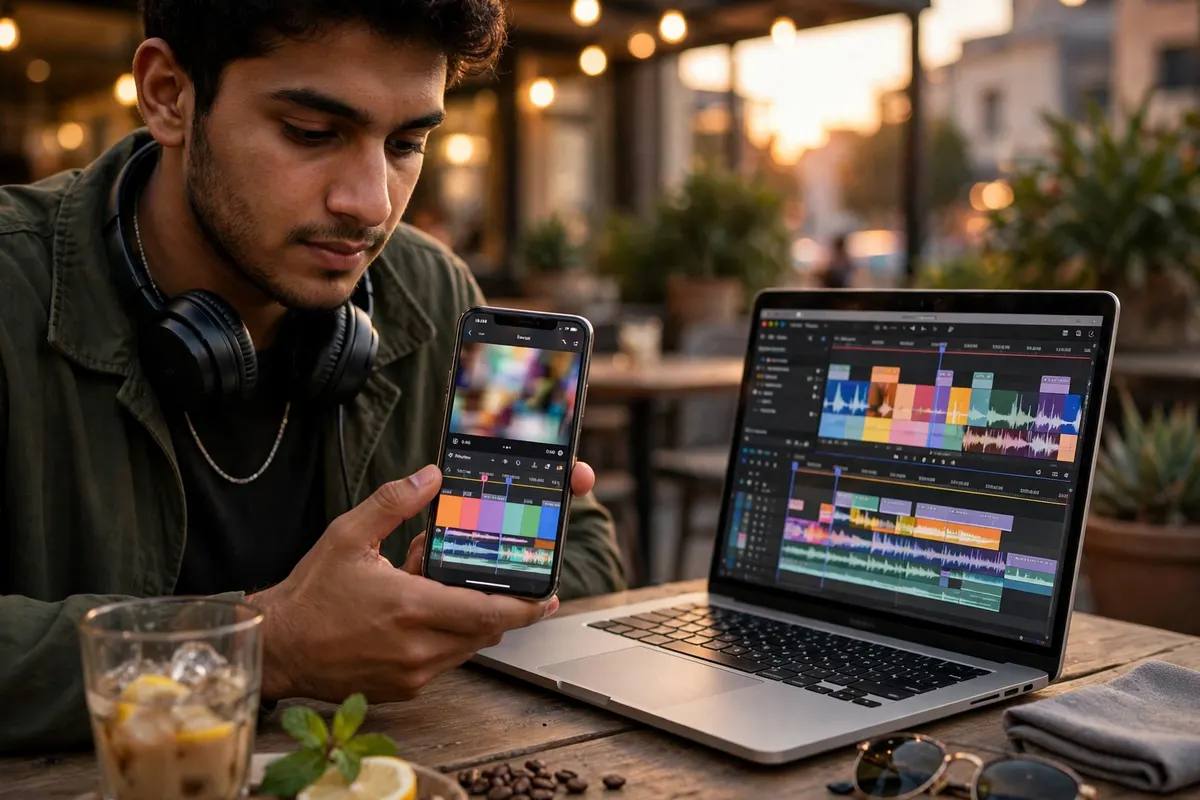
Forget the feature lists and count your week instead — that is how you settle Canva vs CapCut for yourself. If you open your phone to make a price poster for your shop, a thumbnail for your video, a birthday card, a CV or a class presentation, you are a Canva person — and $5.99 for the whole year is the cheapest useful subscription on this store. If you open your phone to cut a video, add captions, sync it to music and post it before the trend dies, you are a CapCut person — and the $5.99 a month pays for itself the first time a client pays you for one edited reel. The trap is buying the wrong one first: a video creator who buys Canva and tries to edit a Reel in it will fight the tool all day, and a shop owner who buys CapCut to make a price poster will wonder why a video editor is so bad at still design. The test is simple: what did you make last week, a picture or a video? Buy the tool for that, first. And if the answer is both — a thumbnail in Canva and a video in CapCut, every week — then the honest answer is both, for $5.99 a year plus $5.99 a month, which is still less than one small freelance job pays.
Free plans, AI tools and the extras that decide it ✨
Both tools have a free plan that is actually usable, so do not pay until the free version says no. Canva Free gives you thousands of templates, basic design tools and 5GB of storage — enough for a student or a small shop's daily posts. You pay when you keep hitting the premium templates, when you need the background remover, or when you want your brand colours saved instead of typed in every time. CapCut Free gives you the timeline, basic cuts, filters and many templates — enough for casual videos. You pay when the premium template you want has a Pro badge on it, when you need 4K export, or when you want auto-captions and the AI tools. On AI, both meter it: Canva Pro gives roughly ten times the free AI allowance, and CapCut Pro gives 1,200 credits a month, which CapCut itself says covers about four minutes of 720p AI video — enough for B-roll and establishing shots, not for a whole AI film. Neither one gives unlimited AI, and anyone selling you unlimited is not reading the plan cards. One extra people forget: CapCut's terms ask for a paid plan for commercial use, so if you edit videos for paying clients, the Pro plan is not just nicer — it is the licensed way to do it. And if you outgrow both — real client work, brand kits across a team, heavy video — that is when Adobe Creative Cloud enters the picture; read our CapCut vs Adobe Creative Cloud comparison before you jump.
Honest limits — what to know before you pay 🚫
First, Canva on this store is Education, not official Pro — an invite, not a retail seat. It unlocks the premium features for a year, but if you ever need an official Pro invoice or a business account in your company's name, this is not that. Second, CapCut Shared is one device only — do not buy Shared and expect to edit on your phone and your laptop at the same time; that needs the Private plan. Third, the prices are not the same kind of price: Canva's $5.99 buys a year, CapCut's $5.99 buys a month, so comparing the two numbers without the time attached is meaningless — always ask 'for how long?' Fourth, the official dollar prices need a card that works for recurring payments, and European banks may decline them or add charges on top, so the official headline is rarely the final deduction. Fifth, neither tool replaces the other: Canva's video tools are basic — trimming and simple templates, not real editing — and CapCut's design tools are basic too, so a thumbnail made in CapCut will look like it was made in a video app. Sixth, AI is metered on both, so the AI in the ads is a monthly allowance, not a bottomless well. And seventh, prices change: the official prices here were checked in November 2026, and both companies raise prices without much warning — whatever the product page says on the day you order is the price you pay.
The verdict — who should buy which 🎯
Buy Canva Education if your week is pictures: $5.99 for a full year, about $1.99 a month, for posters, thumbnails, CVs, presentations and shop posts. It fits students, shop owners, social media managers and anyone who designs more than they film. Buy CapCut Pro if your week is video: Shared at $5.99 a month if you edit on one device, Private at $8.99 a month if you want your own account on phone and PC. It fits TikTokers, YouTubers, Reels creators and wedding editors. Buy both if you make a thumbnail and a video for the same post — $5.99 a year plus $5.99 a month — because that is the real creator workflow, and splitting the work across the two tools is faster than forcing one tool to do both jobs badly. Buy neither for now if you only design or edit once in a while: both free plans are genuinely good, and a week on the free version will tell you exactly which limit you hit first. That is the whole Canva vs CapCut answer in one line: pictures mean Canva, video means CapCut, and both means both. And if you are choosing for a team or for client work, read the Adobe Creative Cloud price in Europe guide too — it is the step up when both of these stop being enough.
How to order ✅
Open the Canva Education page and pick the 1 Year plan at $5.99 — or open the CapCut Pro page and pick Shared at $5.99 or Private at $8.99. Tap Order on WhatsApp and your message arrives pre-written with the plan and price. Send it, pay with the details shared on WhatsApp, and your invite or login details follow once payment is confirmed, usually within minutes during working hours. Canva arrives as an invite on your own email for 12 months; CapCut arrives as login details for 30 days, with a 30-day warranty that gets it fixed or replaced if anything stops working. If anything stops working later, message the same WhatsApp chat — both plans are covered.
Frequently asked questions ❓
What is the Canva vs CapCut price in Europe?
On this store, Canva Education costs $5.99 for a full year, while CapCut Pro costs $5.99 a month for the Shared plan and $8.99 a month for the Private plan. So a year of Canva costs $5.99 a year of CapCut Shared costs $64.99 and a year of CapCut Private costs $107.99.
Which is cheaper, Canva or CapCut?
Canva, by a long way. Canva Education works out to about $1.99 a month over its year, while CapCut Pro Shared is $5.99 every month — twelve times more per month. But they do different jobs, so the cheaper one is only the better buy if it does the work you actually do.
Is Canva better than CapCut?
Neither is better in general — they are built for different work. Canva is better for still design: posters, thumbnails, Instagram posts, CVs and presentations. CapCut is better for video: cutting clips, auto-captions, effects and 4K export for TikTok, Reels and Shorts. The right one is the one that matches what you make every week.
Can I use Canva for video editing?
Only for simple video. Canva lets you trim clips, use video templates and export short MP4s, which is enough for a basic slideshow or a simple announcement video. It is not a real video editor — there is no proper timeline, no auto-captions and no 4K export — so serious video work still needs CapCut.
Can I use CapCut for posters and thumbnails?
You can, but it is the wrong tool for it. CapCut has text tools and image templates, yet it has no proper design canvas, no Brand Kit and no Magic Resize, so a thumbnail made in CapCut takes longer and looks rougher than one made in Canva. Use CapCut for the video and Canva for the thumbnail that sells it.
What is the official Canva Pro price?
The official Canva Pro price is $18 a month or $144 a year for one person, checked in November 2026 on Canva's pricing page, in US dollars. It needs a card that works for recurring payments, and prices change, so check the pricing page before you pay. The store's Canva Education plan at $5.99 a year is an invite, not an official Pro seat, which is why it costs far less.
What is the official CapCut Pro price?
The official CapCut Pro price is $19.99 a month or $179.99 a year, checked in November 2026 on CapCut's pricing page, in US dollars. It needs a card that works for recurring payments, and prices change, so check the pricing page before you pay. The store plans at $5.99 Shared and $8.99 Private a month cost far less than going official.
Is the free version of Canva enough?
For basic work, yes. Canva Free gives you thousands of templates, the basic design tools and 5GB of storage — enough for a student or a small shop's daily posts. You need the paid plan when you keep hitting premium templates, when you need the background remover, or when you want your brand colours and fonts saved instead of typed in every time.
Is the free version of CapCut enough?
For basic videos, yes. CapCut Free gives you the timeline, cutting and trimming, filters and many templates — enough for casual TikToks and Reels. You need Pro when the template you want has a Pro badge on it, when you need 4K export, or when you want auto-captions, the AI tools and 1TB of cloud storage.
Do I need both Canva and CapCut?
If you post videos with thumbnails, yes — most creators in Europe use both. Canva makes the thumbnail, the post and the price card; CapCut edits the video itself. Together on this store they cost $5.99 a year for Canva plus $5.99 a month for CapCut Shared, which is still less than one small freelance editing job pays.
Canva or CapCut for students in Europe?
Canva first. At $5.99 for a whole year it covers assignments, presentations, CVs and society posters, and it takes about an hour to learn. Add CapCut Pro when your video work starts — class vlogs, TikToks or a YouTube channel — because that is when free editing starts saying no.
How do I order Canva or CapCut in Europe?
Open the [Canva Education](/products/canva-pro-subscription-education) page and pick the 1 Year plan at $5.99 or open the [CapCut Pro](/products/capcut-pro-subscription) page and pick Shared at $5.99 or Private at $8.99. Tap Order on WhatsApp, send the pre-written message, pay with the details shared on WhatsApp, and your invite or login details follow once payment is confirmed, usually within minutes during working hours.