Windows 11 Pro OEM vs Retail Key in Europe: Same $12.99 — Which One Should You Buy?
14 Nov 2026

Quick takeaway ⚡
Windows 11 Pro OEM vs Retail is one of the most confusing choices in PC buying, and the short answer is simple: on this store both keys cost $12.99 both unlock the exact same Windows 11 Pro, and the only real difference is what happens when you change your PC. An OEM key belongs to the first PC it is activated on — it lives there, it dies there, and it cannot move. A Retail key belongs to you — when you buy a new PC, you remove it from the old one and activate it on the new one. Everything else is identical: the same BitLocker, Remote Desktop, Hyper-V and Group Policy features, the same updates, the same lifetime activation for one PC, and the same instant delivery on WhatsApp with 30-day activation support. So if you keep one PC for years and never touch its motherboard, either key will serve you perfectly. If there is any chance you will upgrade, rebuild or replace your PC, Retail is the key that survives the move — and since both cost $12.99 here, you are not paying extra for that freedom. The rest of this guide explains both key types in plain English, shows you the side-by-side comparison, walks through activation step by step, and ends with the one question that picks your key in ten seconds.
What an OEM key actually is 🔑
OEM stands for Original Equipment Manufacturer, and that name tells you where this key type comes from: it is the kind of licence that ships with a new PC from the factory. When a shop sells you a laptop or a shop-built desktop with Windows already on it, that Windows is almost always an OEM licence. The deal is simple and strict. The key is tied to the first PC it is activated on — in practice, to the motherboard — and it stays with that machine for its whole life. You can reinstall Windows on the same PC as many times as you like, and it will activate again, because it is the same motherboard. But you cannot take the key to a different PC, and if the motherboard dies, the activation effectively dies with it. Support for OEM licences traditionally comes from the PC maker rather than Microsoft, because the licence was sold as part of that machine. None of this affects how Windows feels to use: an OEM-activated Windows 11 Pro is the full professional edition, with every feature switched on. The limit is not in the software — it is in the licence rule that pins the key to one machine forever.
What a Retail key actually is 🛒
A Retail key is the kind you buy on its own, in a shop or online, separate from any PC — and that is exactly what you are buying on this store. The Windows it unlocks is identical to the OEM one, feature for feature, but the licence rule is the opposite: the key belongs to you, not to the machine. When you change your PC, you remove the key from the old one and activate it on the new one, and it keeps working — one PC at a time, but the PC can change. That is the whole difference, and it is a big one for anyone who upgrades hardware, builds a new PC every few years, or simply does not want to pay twice for Windows. There is one habit that makes Retail even smoother: link your digital licence to your Microsoft account. Sign in with your Microsoft account on the activated PC, and Windows records the licence against that account, so reactivating after a hardware change or a fresh install is much easier. Retail support traditionally comes from Microsoft directly. In short, Retail is the key for people whose PC changes; OEM is the key for people whose PC never does.

OEM vs Retail — the comparison, side by side ⚖️
Price on this store — OEM $12.99 one-time — Retail $12.99 one-time, same price.
Windows you get — OEM full Windows 11 Pro — Retail full Windows 11 Pro, identical features.
Transfer to a new PC — OEM no, tied to the first PC — Retail yes, after removing it from the old PC.
Motherboard change — OEM activation usually lost — Retail reactivate, easier with a linked Microsoft account.
How many PCs at once — OEM one PC — Retail one PC at a time.
Support — OEM traditionally through the PC maker — Retail through Microsoft.
Delivery — OEM key on WhatsApp instantly — Retail key on WhatsApp instantly.
Activation support — OEM 30-day activation support — Retail 30-day activation support.
Read that table once and the decision almost makes itself. Every row is a tie except the two that matter: transfer and motherboard change. Those two rows are the entire OEM vs Retail question. If your PC will never change, those rows never apply to you and both keys are equal in every way that counts. If your PC might change — a new laptop next year, a motherboard upgrade, a rebuild — those two rows are the difference between paying $12.99 once and paying $12.99 twice. And because both keys cost the same $12.99 on this store, there is no saving to chase by picking OEM. In the old days OEM keys were much cheaper than Retail, and that discount was the reason to accept the no-transfer rule. Here there is no discount, so the no-transfer rule buys you nothing. That is why, at this price, Retail is the default recommendation in this guide — not because OEM is bad, but because Retail gives you the same Windows plus a freedom that costs nothing extra.
The price maths — there is no price difference to hide behind 💰
Here is the honest price maths, because most OEM vs Retail guides start with a price gap that does not exist here. On this store Windows 11 Pro OEM costs $12.99 and Windows 11 Pro Retail costs $12.99. Both are a one-time payment, not a subscription, and both give lifetime activation for one PC. So the comparison is not $12.99 against something else — it is $12.99 against $12.99 and the only thing you are choosing is the licence rule. Now look at the cost over time, because that is where the difference hides. Buy Retail once, move it to your next PC, and your total Windows cost stays $12.99. Buy OEM, change your PC in two years, and you need a second key — $25.99 total for the same Windows on two machines over time. That second $12.99 is the real price of an OEM key for anyone who upgrades. For completeness, the budget option is Windows 10 Pro at $6.99 for both OEM and Retail, also one-time with lifetime activation — but read the warning in the section below before you pick it, because Windows 10 support has ended. And remember that a Windows key is not an Office licence: Word, Excel and PowerPoint are separate, with Microsoft 365 at $8.99 a year on this store if you need them. The price maths ends where it started: at $12.99 each, the question was never about money. It is about whether your next PC should need a new key.

How to activate your key, step by step ✅
Activation is the same for OEM and Retail, and it takes about two minutes once the key is in your hands. First, order on WhatsApp and wait for the key — it arrives instantly on WhatsApp with activation instructions. Second, make sure the PC is connected to the internet, because activation checks the key with Microsoft online. Third, open Settings, go to System, then Activation. Fourth, tap Change product key, type the 25-character key exactly as sent, and tap Activate. Windows will check the key and switch your edition to Pro if you were on Home — your files and apps stay exactly where they are, nothing gets wiped. If you are installing Windows from scratch, the same key works there too: type it when setup asks for a product key, and Windows activates during or right after installation. Fifth, and this step matters most for Retail buyers, link the licence to your Microsoft account: go to Settings, then Accounts, sign in with your Microsoft account, and check the Activation page — it should say Windows is activated with a digital licence linked to your Microsoft account. That link is what makes moving a Retail key to a new PC painless later. If activation ever fails, do not guess at the key or try it on another PC — message the store on WhatsApp within the 30-day activation support window and they will help you sort it out.
The motherboard test — the one question that picks your key 🧑💻
Forget the feature lists and ask yourself one question instead: will this be the same PC in three years? If the answer is yes — a family laptop that stays on the same desk, an office desktop that never gets opened, a shop PC that runs the same billing software every day — then either key works, and you can pick whichever you like, because the transfer rule will never matter to you. If the answer is no, or even maybe — a student who will buy a better laptop after graduation, a gamer who upgrades the motherboard and processor every couple of years, a freelancer who builds a new PC when work grows — then buy Retail, because your key will move when you do. There is a third case worth naming: the second-hand PC. If you are activating Windows on a used machine you just bought, Retail is still the safer pick, because that machine's future is even less certain than a new one's. And if you are a shop or office buying several keys, the same rule scales: Retail keys can be shuffled to replacement machines when old ones retire, while OEM keys retire with the machine. One question, one honest answer, and the key picks itself.
Windows 10 Pro — the $6.99 alternative, with one warning ⚠️
If $12.99 feels like too much, Windows 10 Pro costs $6.99 on this store for both OEM and Retail, also a one-time payment with lifetime activation for one PC — and the same OEM vs Retail choice applies to it, with the same transfer rule. But there is one warning you need before you pick it: Microsoft ended Windows 10 support on 14 October 2025. That means no new security updates, no new features, and growing risk over time as new threats appear and old ones stay unpatched. For a PC that never goes online, that may not matter. For a daily-use PC on the internet, it matters a lot. So buy Windows 10 Pro only if your PC genuinely cannot run Windows 11 — an old processor, too little RAM, or no TPM chip. If your PC meets the Windows 11 requirements, the extra $6.99 for Windows 11 Pro buys you a supported, updated system for years, and that is the better spend. Read the full breakdown in our Windows 10 Pro price in Europe guide and our Windows 11 Pro price in Europe guide before you decide.
Honest limits — what to know before you pay 🚫
First, one key means one PC at a time, for both OEM and Retail — a single key cannot activate two computers at once, and trying it on a second machine will fail. Second, the OEM limit is permanent: if the motherboard dies, the key effectively dies with it, and no support call brings it back. Third, a Retail transfer needs the key removed from the old PC first — you cannot leave it running on two machines and call it a transfer. Fourth, a Windows key is not Microsoft Office: Word, Excel and PowerPoint are separate products, and you will need a separate Office licence if you want them. Fifth, activation needs an internet connection and a genuine key typed exactly right — one wrong character and it fails, so copy it from the WhatsApp message rather than typing from memory. Sixth, the 30-day activation support covers help getting the key activated; it is not a lifetime support contract, so activate promptly after delivery and check the Activation page the same day. And seventh, prices can change: $12.99 is the store price today, and whatever the product page says on the day you order is the price you pay.
The verdict — who should buy which 🎯
Buy Retail if there is any chance your PC will change — you are a student, a gamer, a freelancer, or anyone who upgrades hardware. At $12.99 it costs the same as OEM and it moves with you, so there is no reason to give up the transfer right for nothing. Buy OEM only if you are completely sure this PC will be your only PC for its whole life — a family desktop, an office machine, a shop billing PC — and even then, know that you are choosing the key with fewer rights at the same price. Buy Windows 10 Pro at $6.99 only if your PC cannot run Windows 11, and remember that its support has ended. Buy neither yet if your PC is already activated and working — check Settings, then System, then Activation first, because many PCs already carry a licence and do not need a key at all. That is the whole Windows 11 Pro OEM vs Retail answer in one line: the Windows is the same, the price is the same, and the only thing you are buying is the right to move — so unless you are certain you will never move, buy Retail.
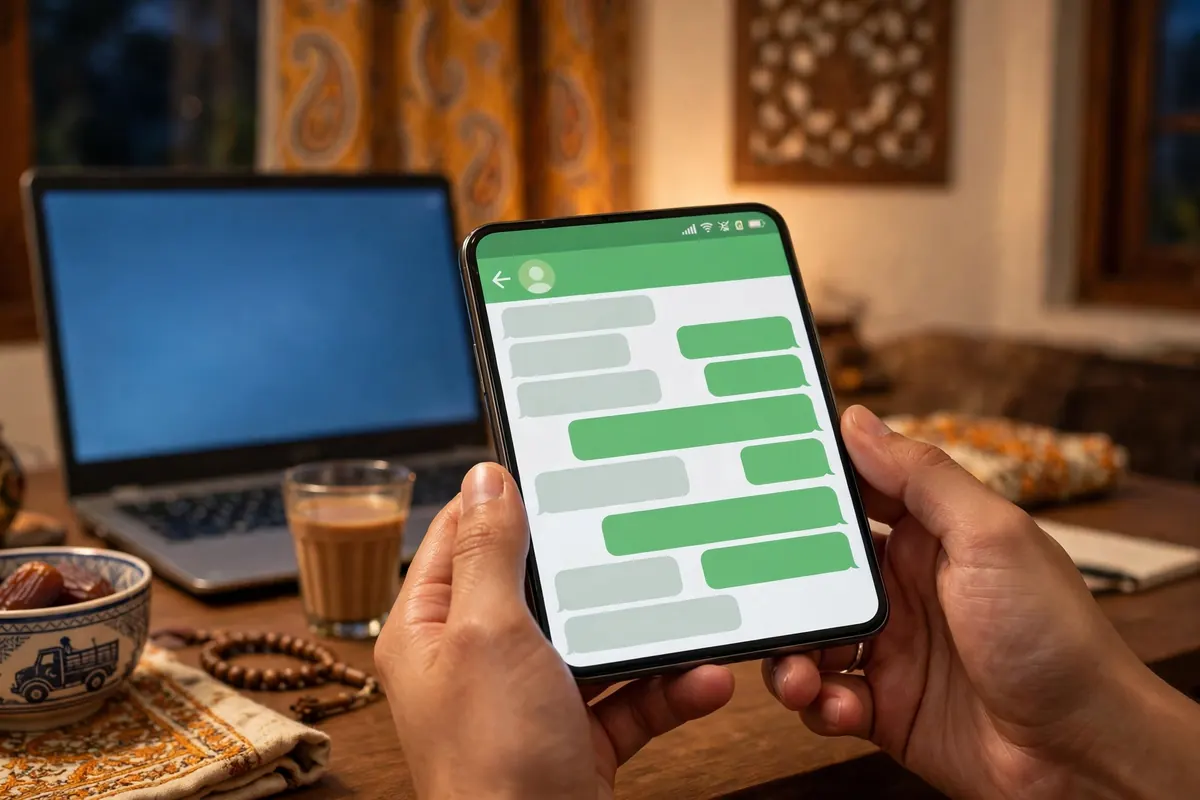
How to order your Windows 11 Pro key in Europe 🛒
Ordering takes about two minutes. Open the Windows 11 Pro page and pick your key type — Retail at $12.99 if you might ever change your PC, OEM at $12.99 if this PC is forever. Tap Order on WhatsApp and send the pre-written message, then pay with the details shared on WhatsApp. Your key arrives instantly on WhatsApp with activation instructions, and if anything goes wrong during activation, message the store within 30 days and they will help you get it activated. That is the whole process: pick Retail unless you are sure, order on WhatsApp, type the key into Settings, and your PC is running full Windows 11 Pro for life.
Frequently asked questions ❓
What is the Windows 11 Pro OEM vs Retail price in Europe?
On this store both keys cost the same: Windows 11 Pro OEM is $12.99 and Windows 11 Pro Retail is $12.99 each a one-time payment for lifetime activation on one PC. The price does not decide anything here — your future plans do.
What is the difference between an OEM and a Retail Windows 11 Pro key?
The Windows itself is identical — same features, same updates, same lifetime activation. The only difference is transfer: an OEM key stays with the first PC it is activated on forever, while a Retail key can be moved to a new PC when you change your computer, as long as it runs on only one PC at a time.
Can I transfer an OEM key to a new PC?
No. An OEM key is tied to the first PC — in practice, to its motherboard — and Microsoft's licence terms do not allow moving it to another computer. If you buy a new PC, or the motherboard dies, the OEM key stays with the old machine and you need a new key.
Can I transfer a Retail key to a new PC?
Yes. A Retail key can be moved to a new PC: remove it from the old PC first, then activate it on the new one, and it runs on one PC at a time. Linking the digital licence to your Microsoft account makes reactivation after a hardware change much easier.
Is OEM or Retail better for Windows 11 Pro?
At the same $12.99 price, Retail is the better buy for most people, because it does everything an OEM key does plus transfer. OEM only makes sense if you are completely sure this PC will be your only PC for years and you will never move the licence.
Do OEM and Retail keys give the same Windows 11 Pro?
Yes, exactly the same. Both unlock full Windows 11 Pro with BitLocker encryption, Remote Desktop, Hyper-V virtual machines and Group Policy control, and both get the same Windows updates. The key type changes the licence rules, not the Windows you use every day.
What happens to my OEM key if my motherboard dies?
The activation is effectively lost with the motherboard, because the OEM key is tied to that board. You would need a new key for the repaired or replacement PC. This is the biggest real risk of an OEM key, and the main reason people who upgrade their hardware pick Retail.
How do I activate a Windows 11 Pro key?
Open Settings, go to System, then Activation, tap Change product key, type the 25-character key and tap Activate — you need an internet connection. If you are installing Windows fresh, type the key when setup asks for it. If you are upgrading from Windows 11 Home, activation switches the edition to Pro automatically.
Can I use one Windows 11 Pro key on two PCs?
No. One key activates one PC at a time, whether it is OEM or Retail. A Retail key can move between PCs, but it cannot run on two PCs at the same time — you must remove it from the old one first.
Is Windows 10 Pro still worth buying at $6.99?
Only if your PC cannot run Windows 11. Windows 10 Pro costs $6.99 on this store for both OEM and Retail, but Microsoft ended Windows 10 support on 14 October 2025, so it gets no new security updates. If your PC meets the Windows 11 requirements, the $12.99 Windows 11 Pro key is the safer buy.
Does a Windows 11 Pro key include Microsoft Office?
No. Windows and Office are separate products, and a Windows key does not include Word, Excel or PowerPoint. If you need Office, Microsoft 365 costs $8.99 a year on this store, Office 2021 costs $17.99 one-time, and Office 2024 costs $164.99 one-time.
How do I order a Windows 11 Pro key in Europe?
Open the [Windows 11 Pro](/products/windows-11-pro-key-price-pakistan) page, pick OEM or Retail at $12.99 tap Order on WhatsApp and send the pre-written message. Pay with the details shared on WhatsApp and your key arrives instantly on WhatsApp with activation instructions and 30-day activation support.